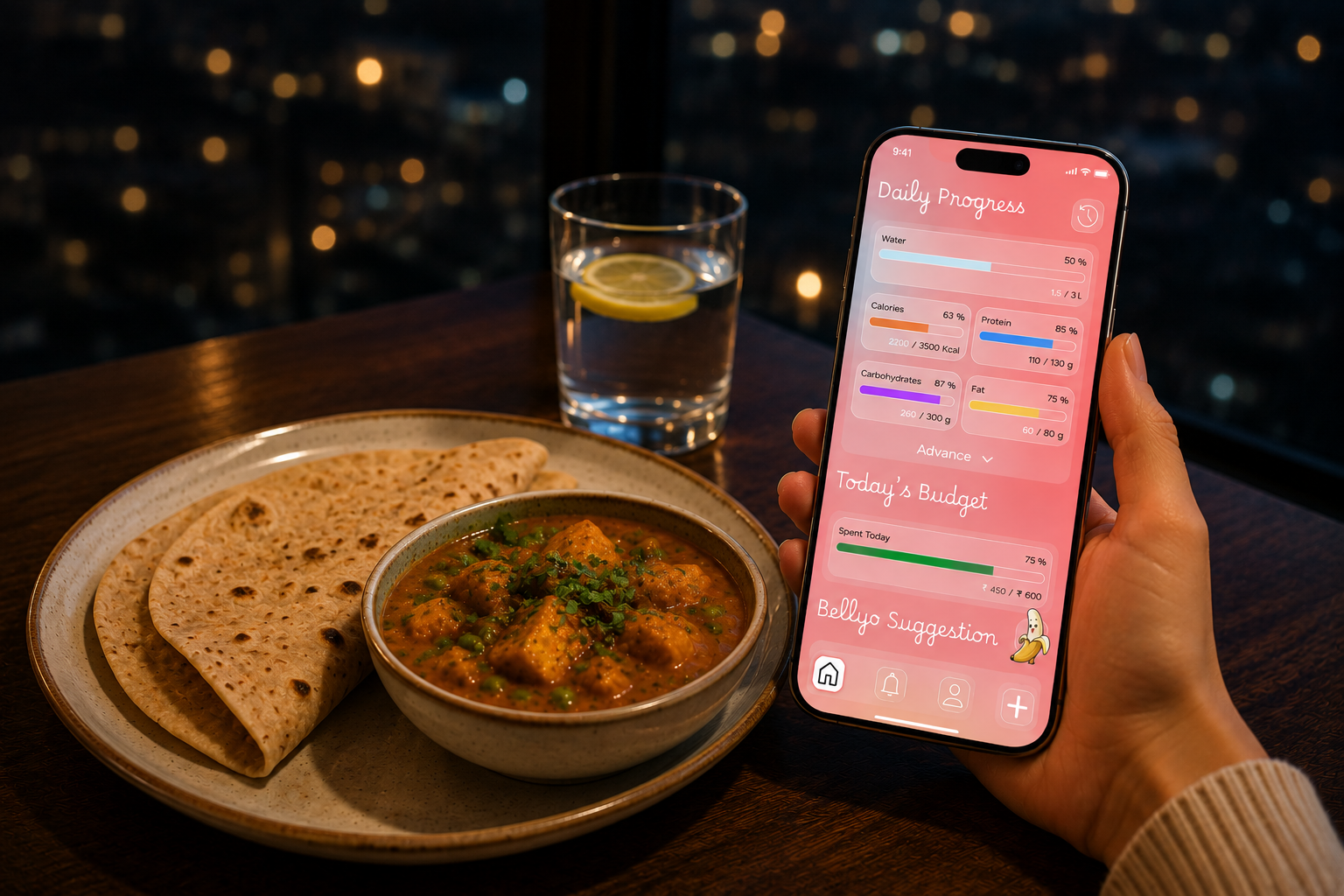
whatihad.info is a nutrition and budgeting platform that helps users make
informed food choices through simple nutrition tracking, localized food
pricing, and AI-powered suggestions from Bellyo.
Platform
Mobile App (iOS and Android) & Web
Research & Validation
30+ User Interviews
20+ Early Users
My Contribution
Product Strategy: Defined the product vision around affordable nutrition.
UX Research: Conducted competitor analysis and identified user pain points.
Information Architecture: Structured navigation, food discovery, and AI recommendation flows.
UI Design: Designed screens, design system, and responsive layouts.
Prototyping: Created interactive prototypes and user flows.
Product Development: Collaborated on implementation and feature prioritization.
Defining the Product
Core Question
How might we help users make healthier food choices without ignoring their budget?
Bellyo AI
How might we make AI-powered nutrition guidance feel approachable, engaging, and trustworthy for everyday users?
Click to download
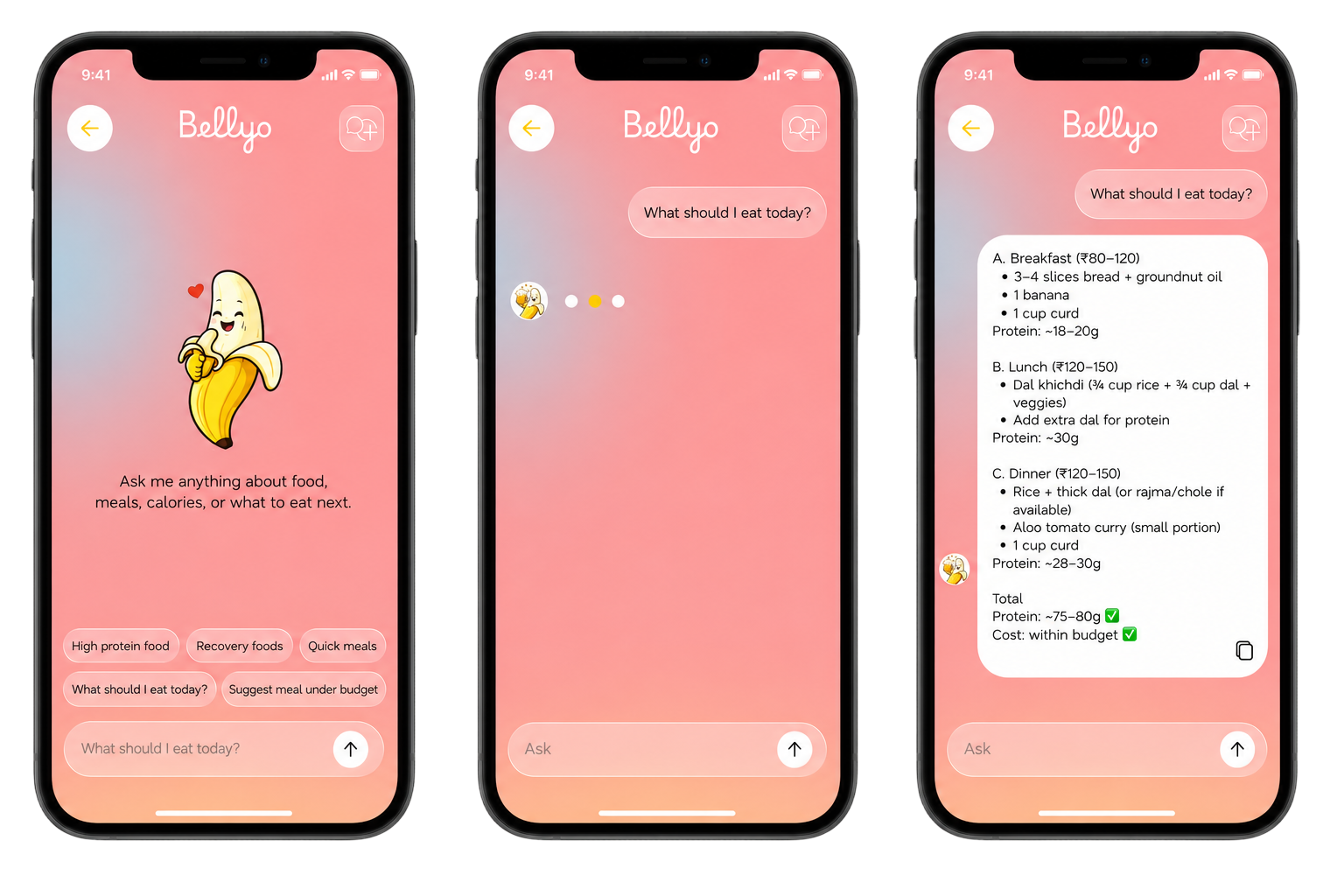
I used an AI tool to create Bellyo, a friendly banana mascot that guides users
through the product. The character makes AI food recommendations feel more
conversational and approachable. A banana felt like the right mascot because it
is healthy, recognizable, and naturally connected to nutrition.
Overview
Problem
Most nutrition apps focus heavily on calorie tracking while overlooking affordability.
The Goal
Create a simple nutrition app that helps users:
Track essential nutrition values
Understand food costs
Discover affordable alternatives
Receive AI-powered food suggestions
Outcome
1,500+ foods in database
Multi-currency support
Budget-aware food recommendations
Bellyo AI integration
Research & Discovery
Understanding Existing Apps
Examples:
MyFitnessPal
Cronometer
Yazio
Findings:
Complex interfaces
Heavy focus on calorie counting
No affordability awareness
Limited localized food recommendations
Key Insights
Users want
Simpler nutrition information tracking
Affordable food options
Fast food search
Practical recommendations
Not
100+ nutrient metrics
Complex charts
Scientific dashboards
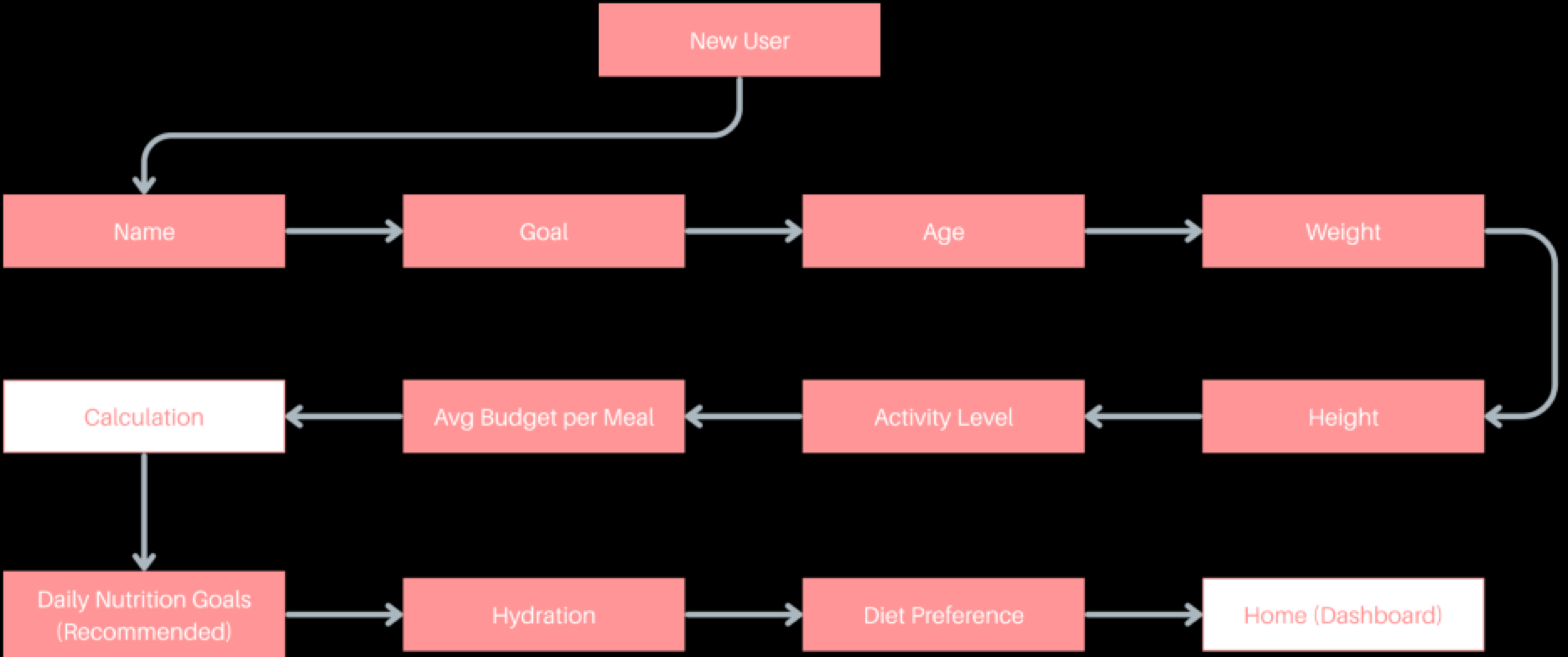
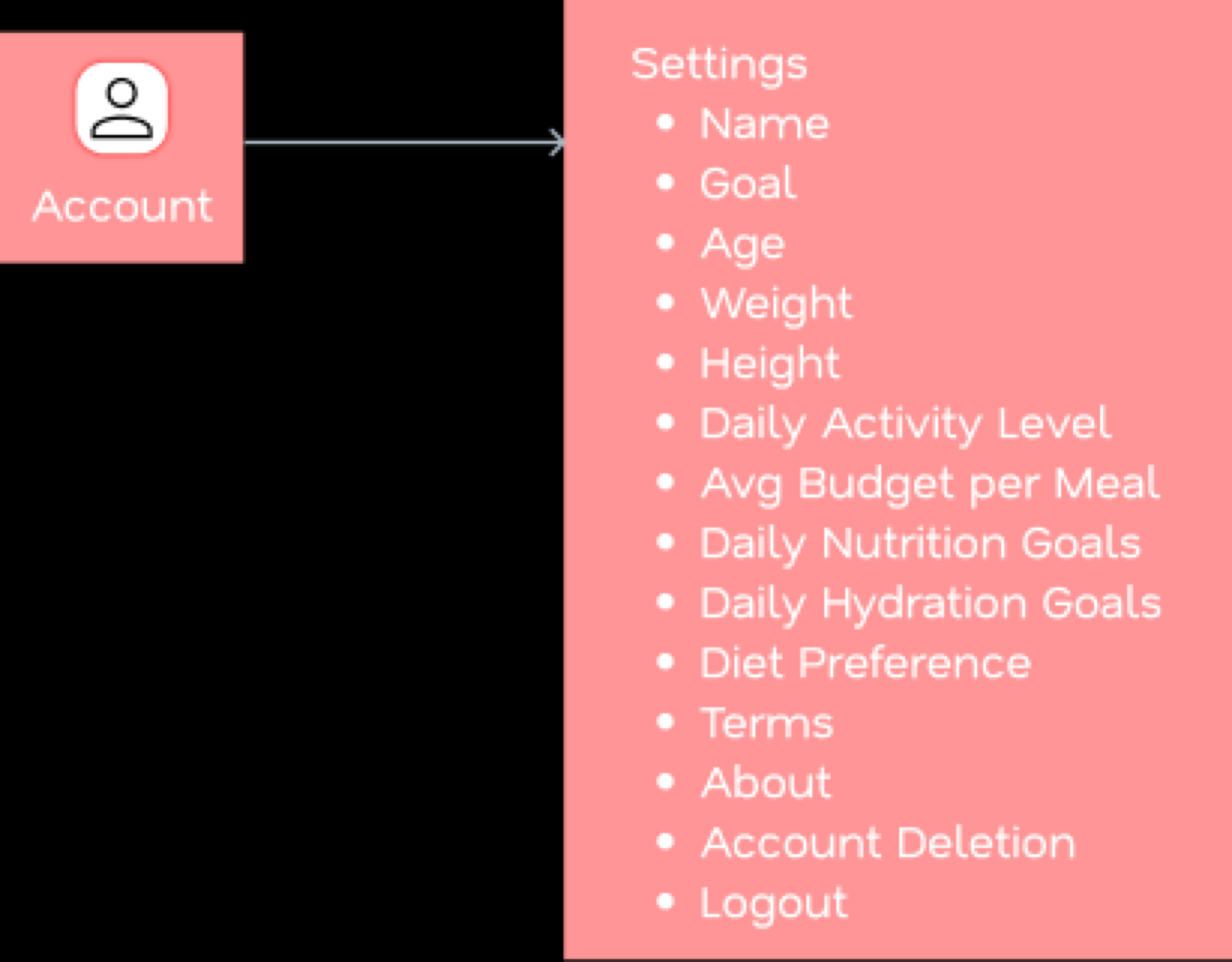
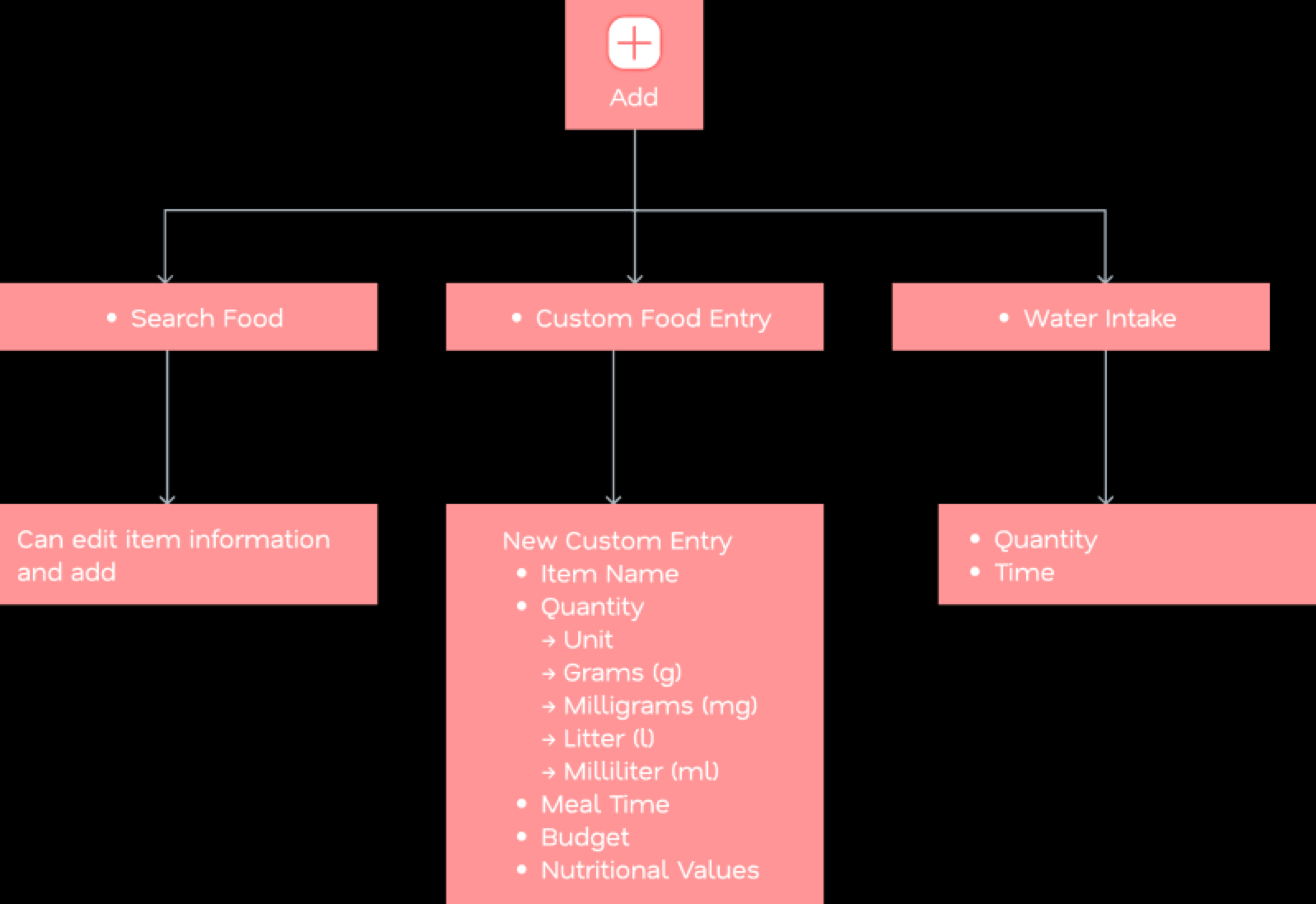
Information Architecture
Onboarding
Home
Account
History
Add
Designing the Experience
Track the 8 Basics That Matter
Calories
Daily energy intake
Protein
Muscle and recovery support
Carbs
Primary energy source
Fat
Essential nutrition balance
Fiber
Digestive health tracking
Sugar
Added sweetness awareness
Sodium
Salt intake visibility
Cost
Budget-aware food choices
Other Features
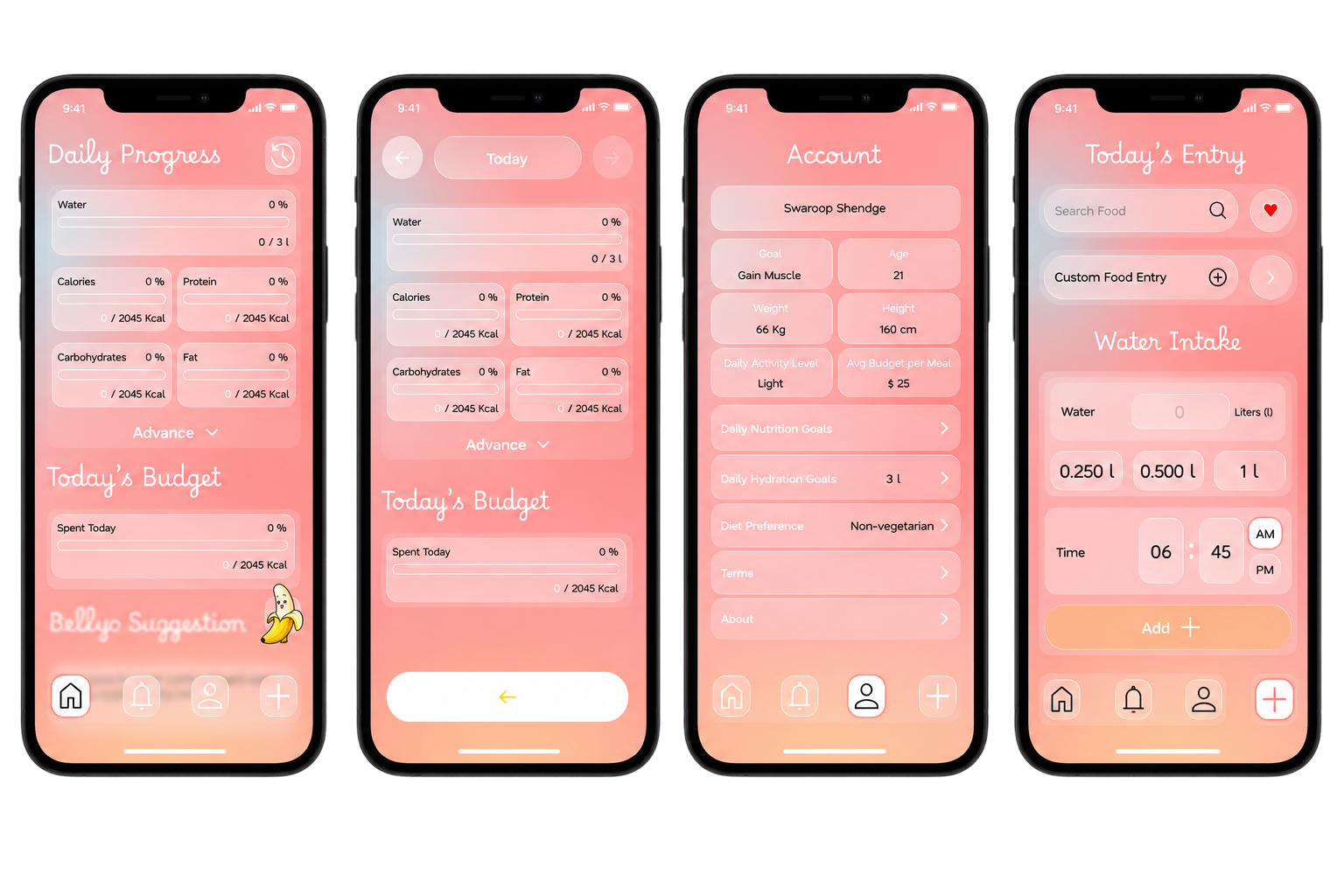
Water Intake Tracker
Track daily water consumption and monitor hydration goals through a simple visual progress system.
Custom Food Entry
Add personal meals and food items not available in the database, allowing users to maintain accurate nutrition records.
Bellyo AI Suggestions
Receive personalized food recommendations based on nutrition goals, budget, dietary preferences, and local food pricing.
Nutrition Timeline
View daily food history and nutrition activity through a chronological timeline, making it easier to review eating habits and track progress over time.
UI Exploration
Reflection
What Worked Well
Bellyo AI Mascot: Creating Bellyo as a friendly banana mascot helped make nutrition feel approachable rather than overwhelming. The character added personality to the product and transformed AI interactions into a more conversational and engaging experience.
Budget-Aware Nutrition: Combining nutrition tracking with food affordability created a clear differentiator from traditional calorie-counting apps. Users could evaluate foods based on both nutritional value and real-world cost.
Simplified Nutrition Tracking: Focusing on a small set of essential metrics reduced cognitive overload and made the experience easier for everyday users to understand and adopt.
Consistent Visual Language: The soft gradients, rounded components, and playful aesthetic helped create a welcoming experience that aligned with the product's goal of making nutrition accessible.
Challenges & Learnings
Performance vs Visual Design: Initially, glass-morphism was applied extensively throughout the interface. While visually appealing, it introduced unnecessary visual complexity and increased rendering overhead. Through iteration, I learned to use visual effects more intentionally and prioritize usability and performance over decoration.
Designing Simplicity: One of the biggest challenges was deciding what not to show. Nutrition data can quickly become overwhelming, so the design process focused heavily on identifying the information users actually need to make daily food decisions.
Information Hierarchy: Balancing nutrition metrics, budgeting insights, and AI recommendations required careful prioritization. Learning how users scan information helped create a clearer hierarchy and more focused screens.
Designing for Different Devices: Creating layouts that worked consistently across both Android and iPhone devices highlighted the importance of safe areas, spacing systems, touch targets, and responsive component behavior.
Key Outcome
Designed a complete nutrition and budgeting experience from concept to implementation.
Created Bellyo, an AI mascot that adds personality and approachability to the product.
Developed a scalable design system for mobile interfaces.
Improved understanding of cross-platform mobile design considerations, including iOS safe areas and Android device variations.
Learned to balance aesthetics, usability, and technical constraints during product development.
Gained hands-on experience designing AI-assisted user experiences grounded in structured data.
Final Takeaway
This project reinforced that great user experiences are not created by adding more features, but by helping users focus on what matters most. Through whatihad.info, I learned how thoughtful simplification, strong information hierarchy, and a distinct product personality can transform complex nutrition data into an experience that feels useful, approachable, and enjoyable to use.



.png)